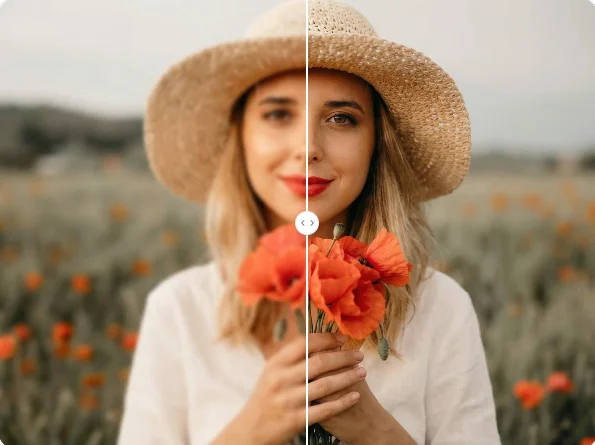
AI Unblur Image
Remove blur from photos instantly. Restore sharpness and clarity with AI.
 AI Photo Editor
Nano Banana powered by Google's Gemini 3.0 Flash Image - Advanced text-to-image, image-to-image, inpainting, outpainting with superior character consistency and scene preservation.
Nano Banana powered by Google's Gemini 3.0 Flash Image - Advanced text-to-image, image-to-image, inpainting, outpainting with superior character consistency and scene preservation.
See what's possible with Nano Banana — from photo editing to creative generation.
Remove blur from photos instantly. Restore sharpness and clarity with AI.
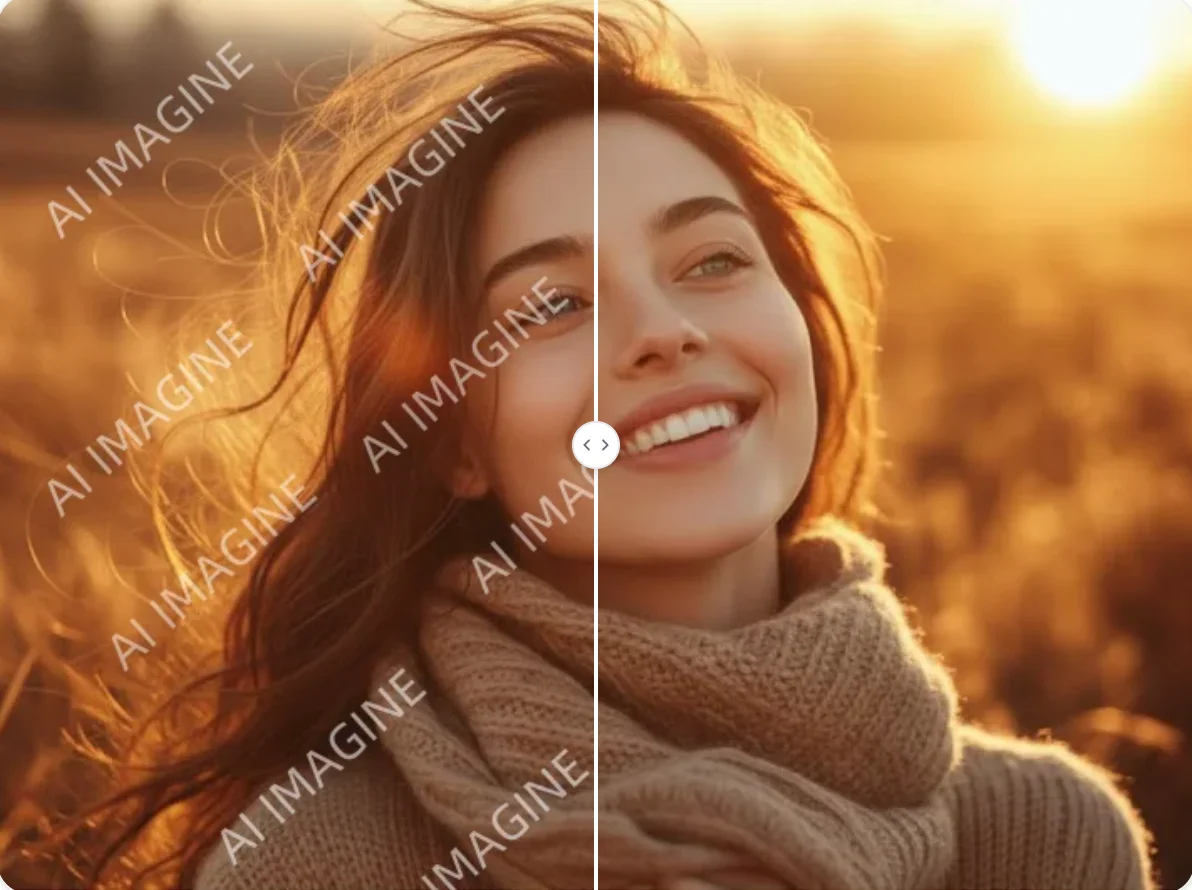
Remove watermarks from images cleanly while preserving the original quality.
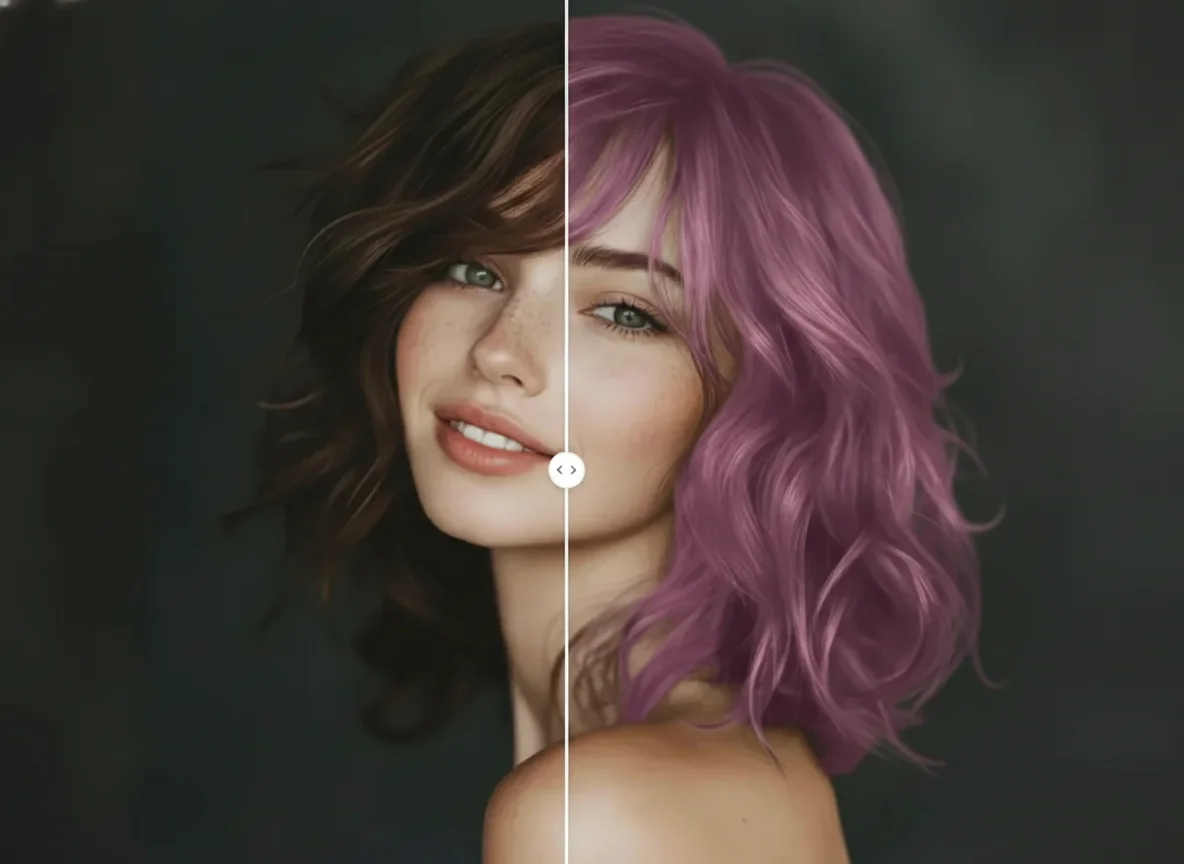
Try different hair colors on your photo instantly with realistic AI results.
Upload your image and describe the edits you want in natural language.
Click the Generate button. Your image will be ready in a few seconds, with character consistency and scene preservation.
Download your high-resolution, AI-edited image, ready for any project or platform.
Built on Google's latest Gemini 3.0 Flash Image model—a flagship multimodal AI with industry-leading quality, speed, and contextual understanding.
Text-to-image, image-to-image, inpainting, outpainting, and style transfer—3D-aware local edits that change only what you ask.
Combine subject, background, and reference images with matched perspective and lighting for seamless composites.
Edits blend cleanly with the original background—shadows, reflections, and edges remain coherent.
Maintain character identity across edits and angles; excels at facial feature preservation.
Results in seconds with a unified generate-and-edit flow, plus support for iterative and team workflows.
Nano Banana is Google's advanced AI image model built on Gemini 3.0 Flash Image. It excels at text-to-image generation, image editing, inpainting, outpainting, and style transfer with superior character consistency. You can try it on AI Photo Editor.
Nano Banana Pro brings enhanced character consistency for preserving facial features, better scene blending, faster generation, and superior contextual understanding. It's ideal for professional content creation.
Nano Banana 2 (NB2) is the balanced model between Standard and Pro. It offers high quality close to Pro at faster speed (4–6s) and lower cost. It's ideal for daily use — website imagery, social media graphics, e-commerce photos, and everyday content. It's also noticeably more stable when rendering Chinese characters.
AI Photo Editor provides easy access to Nano Banana's full capabilities—text-to-image, face completion, background replacement, and style transfer. It outperforms competitors in character consistency and scene blending, with results delivered in seconds.
Nano Banana uses advanced multimodal AI to maintain facial features, expressions, and identity across edits. It excels at understanding contextual instructions while keeping the subject consistent.
Yes, images generated with Nano Banana on AI Photo Editor can be used for commercial projects. Ensure you follow content policies and avoid infringing third-party rights.
You can use Nano Banana on AI Photo Editor with free credits to start. Simply upload an image, describe your edits, and generate.
Try Nano Banana on AI Photo Editor. Generate stunning images with superior character consistency and scene preservation.