Add your event details or prompt
Describe the event type, date, location, theme, mood, and key message. You can write a simple prompt for a wedding, birthday, party, launch, or formal event.
 AI Photo Editor
Paste your event details, upload your assets, and instantly get a cinematic animated invitation ready for social media or messaging apps.
Paste your event details, upload your assets, and instantly get a cinematic animated invitation ready for social media or messaging apps.
AI Invitation Video is designed to turn text prompts, event details, or printed invite card designs into stylized video invitations. Instead of relying on generic paper cards or dull static visuals, you can upload a couple photo, a baby portrait, or event flyers, animating them into beautiful, captivating clips that your family and friends will love.
You don't need any professional design skills or editing software. The tool automatically integrates aesthetic typography, moving graphical effects, and mood-matching melodies to deliver a full visual narrative that elevates your celebration's attendance rate.
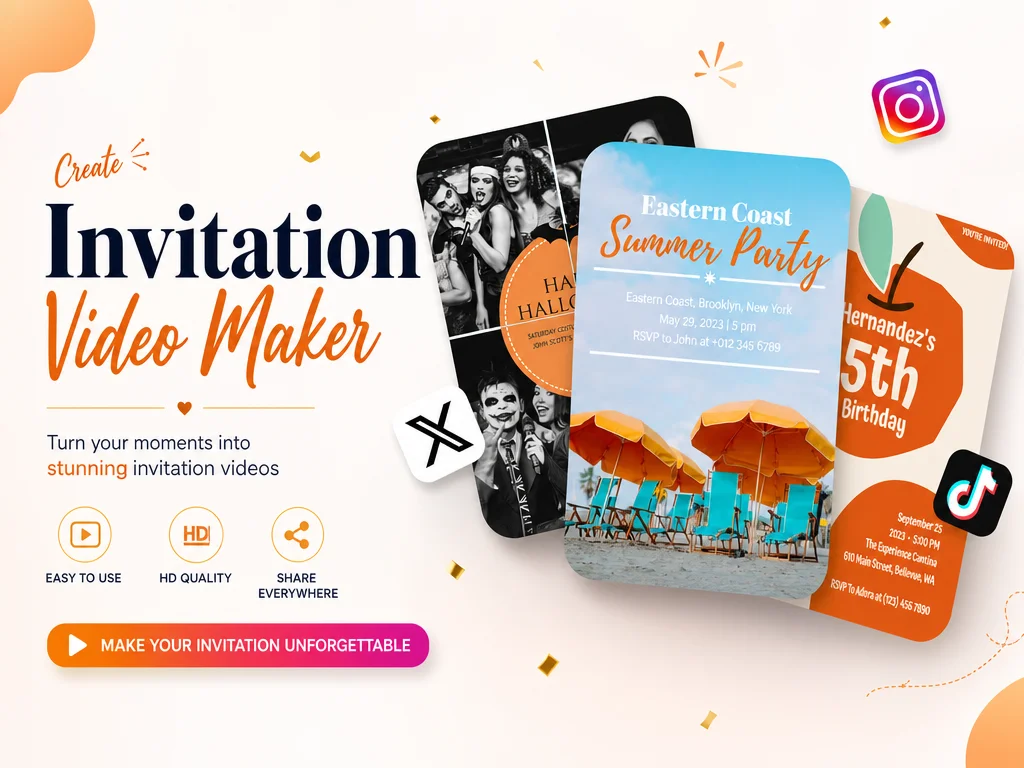
Describe the event type, date, location, theme, mood, and key message. You can write a simple prompt for a wedding, birthday, party, launch, or formal event.
Add couple photos, portraits, event posters, invitation card designs, or visual references to guide the style and make the invite feel more personal.
Generate the invitation video, preview the result, and download it for guests, group chats, email, social media, or event pages.
Wedding, birthday, baby shower, product launch, fundraiser, or corporate summit — AI Photo Editor adapts the tone, color, and motion to fit the occasion. One tool covers the full year of events you have to plan.
Already designed a paper card? Snap a photo or upload the file and AI Photo Editor will animate the layout into a flowing video — preserving your design choices while adding motion and atmosphere.
Transitions, camera moves, and typography are timed to the beat, so the video feels ceremonial instead of generic. Add a track from the library or upload your own — AI Photo Editor syncs the rest.
Export in vertical 9:16 for Instagram Stories, Reels, and WhatsApp, or horizontal 16:9 for email and large-screen previews. AI Photo Editor keeps the key details in frame so nothing important gets cropped.



Create visuals faster without design skills. Turn ideas into images, thumbnails, social posts, and creative assets in seconds.
Accelerate your creative workflow. Use AI Photo Editor to generate concepts, references, and visual directions, then refine them into production-ready designs.
Produce high-converting visuals on demand. Create ads, campaign visuals, and branded images quickly.
An invitation video maker is a tool that turns photos, card designs, or event details into a short animated video invitation, complete with music, motion, and typography — ready to send to guests.
Weddings, birthdays, baby showers, anniversaries, corporate launches, fundraisers, and more. AI Photo Editor adapts the mood, color, and pacing to match each occasion.
Yes. Upload a couple photo, a scanned paper invite, a card design, or any reference image — AI Photo Editor will animate it into a flowing invitation video.
No experience needed. You bring a photo or event description — AI Photo Editor handles layout, motion, transitions, and music.
Export in HD MP4 and send it through messages, email, WhatsApp, or post it on Instagram, Reels, and other social platforms. Output is sized for each channel.
Create stunning AI videos from text or images with multiple models.

Google image generation

OpenAI image generation

ByteDance video generation

Google video generation

Kuaishou video generation

xAI image & video generation
AI Photo Editor is your go-to AI video toolkit for generating, editing, and enhancing videos.
Turn photos into lively, music-synced birthday videos.
Generate cinematic videos from text or images in minutes.
Turn scripts and prompts into videos without filming.
Keep characters and scenes consistent across a generated video.
Animate static images with realistic, lifelike movement.
Edit and refine videos instantly with simple text prompts.
Turn a photo or a few event details into a cinematic animated invite with AI Photo Editor — music-matched, beautifully animated, and ready for your guests in minutes.